Every creator in a campaign has a status that says which step their job is at: quoting, drafting, posting or finishing. Brands and creators go through the same steps, but some steps have different names on each side. This page lists them all, with what to do next.
For brands: Campaign Management
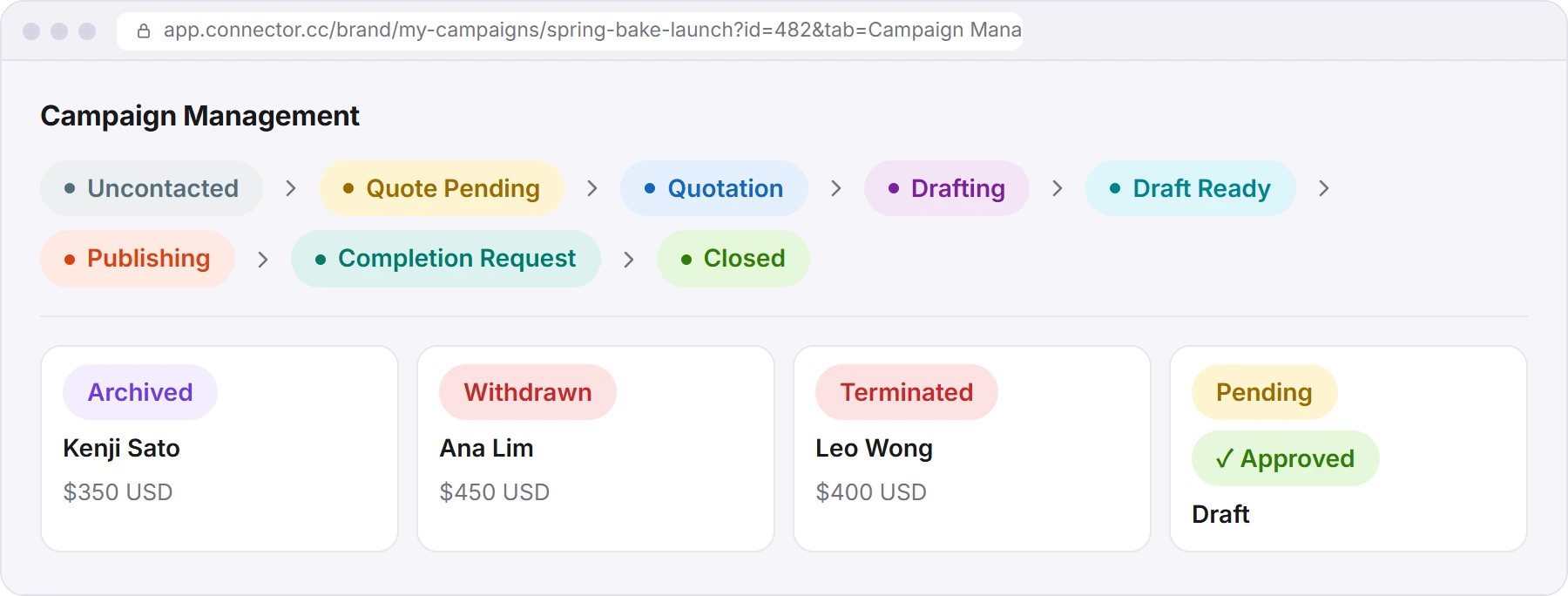
The board in Campaign Management has one column per status, from left to right. The creator's side panel shows the same word after the campaign name, for example "Spring Bake Launch / Draft Ready".
| Status | What it means | What to do next |
|---|---|---|
| Uncontacted | You added the creator to the campaign but haven't messaged them. | Click Contact Now to invite them to quote, or the bin icon to remove them. |
| Quote Pending | You invited the creator. They haven't sent a price yet. | Wait, or click Chase Up. |
| Quotation | The creator sent a quote, or applied with one. | Accept to approve it, Archive, or ask for another price in the chat. |
| Drafting | You approved the quote. The creator is making the draft. | Wait, or click Chase Draft. |
| Draft Ready | A draft is waiting for your review. | Open it, then comment or click Approve. |
| Publishing | You approved the draft. The creator is publishing it. | Wait, or click Chase Publish. |
| Completion Request | The creator posted and says the job is done. | Check the posts, then Confirm Completion or Reject Completion. |
| Closed | The work order is finished. | Nothing. The payment shows on the Payment page. |
| Archived | You archived or hid the creator. | To bring them back, click Remove from Archive on their card, then Unarchive. |
| Withdrawn (red) | The creator withdrew from the job. | Recruit someone else. |
| Terminated (red) | You ended the contract (Need Help? → Hide this creator at the Drafting step). | Nothing. |
Each draft is marked Pending (waiting for you) or Approved.
The steps in detail: Recruit creators and approve quotes and Review drafts, collect posts and confirm completion.
For creators: the job's title, then My Jobs
Until the brand approves your quote, the job isn't on My Jobs. You find it on Discover, on the Invited or Applied tab. When you open it, the status is at the top, after the job's name.
| Status in the job's title | What it means | What to do next |
|---|---|---|
| Uncontacted | The brand shortlisted you but hasn't contacted you yet. | If you're interested, apply with Easy Apply. |
| Quote Pending | The brand invited you and is waiting for your price. | Send your price with Easy Apply, or Make Offer in the chat. |
| Quotation | You sent a quote. The brand hasn't approved it yet. | Wait, or change your price with Edit Quotation → Update Price. |
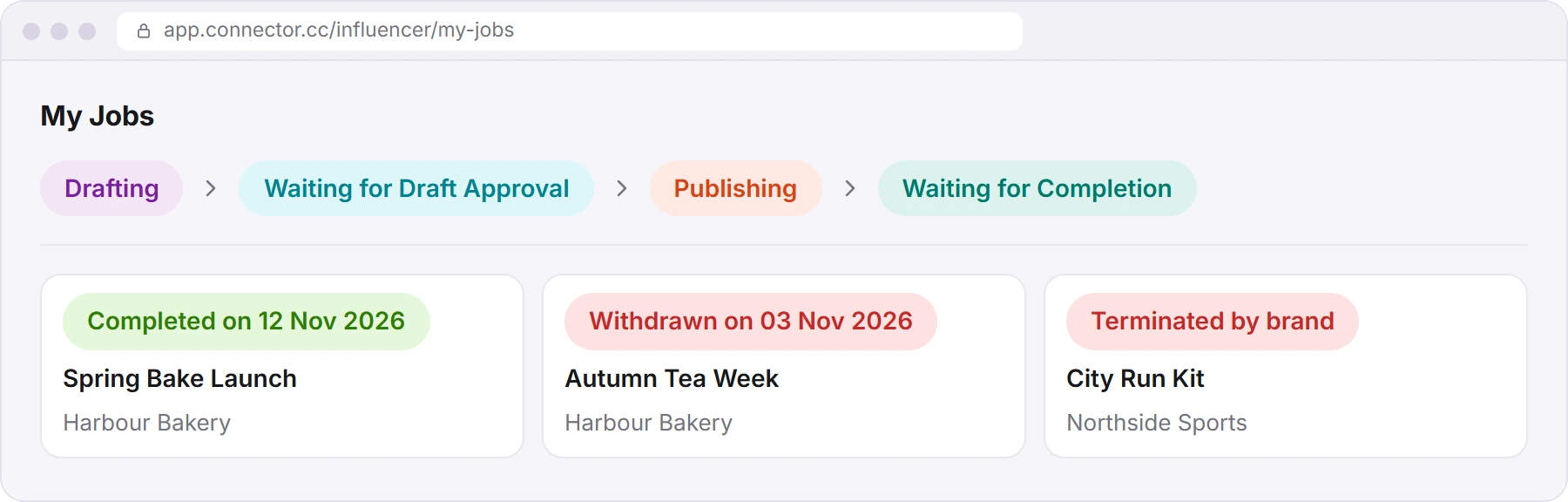
Once the brand approves your quote, the job moves to My Jobs. The chips there and on your home page use these words:
| Status on My Jobs | What it means | What to do next |
|---|---|---|
| Drafting | The brand approved your quote. Your draft is due: the card shows "Due by" and the date. | Submit Draft. |
| Waiting for Draft Approval | You sent a draft. The brand is reviewing it. | Watch for comments, and upload a new version if the brand asks. |
| Publishing | The brand approved your draft. | Publish the post, tap Submit Post, then Declare Completion. |
| Waiting for Completion | You declared the job complete. The brand has to confirm it. | Wait. If it's slow, message the brand in the chat. |
| Completed on and a date | The job is finished. | Check the Payment page. |
| Withdrawn on and a date (red) | You withdrew from the job. | Nothing. |
| Terminated by brand (red) | The brand ended your contract. | Nothing. |
| Closed | The job was cancelled after a dispute. There's no payment for it. | Nothing. |
The steps in detail: Find and apply for jobs and Post and get paid.
Same step, different words
| Step | Brand sees | Creator sees |
|---|---|---|
| Added, not contacted | Uncontacted | Uncontacted (in the job's title) |
| Invited, no price yet | Quote Pending | Quote Pending (in the job's title) |
| Quote sent | Quotation | Quotation (in the job's title) |
| Draft being made | Drafting | Drafting |
| Draft sent | Draft Ready | Waiting for Draft Approval |
| Post being published | Publishing | Publishing |
| Job declared complete | Completion Request | Waiting for Completion |
| Finished | Closed | Completed on … |
| Brand ended it | Terminated | Terminated by brand |
| Creator left | Withdrawn | Withdrawn on … |
| Cancelled after a dispute | Closed | Closed |
Creators see both sets of words
When a creator opens a job, the title at the top uses the brand's words, for example "Draft Ready". So the same job reads "Waiting for Draft Approval" on My Jobs and "Draft Ready" inside the job. Both mean the brand is reviewing the draft.
Payment statuses
| Status | Who sees it | What it means |
|---|---|---|
| Payment Completed | Brand | Your card was charged. Download Invoice is next to it. |
| Payment Pending | Brand | The charge hasn't gone through yet, or it failed. Click Pay Now. |
| Pending | Creator | Connector Club hasn't paid you yet. The row shows "Payment expected by" and a date. |
| Payment Completed | Creator | You've been paid. The row shows "Paid on" and a date. |
More on payments: Payments, invoices and saved cards for brands, and Post and get paid for creators.
Did this answer your question?
Thanks. It helps us know which guides work.
Sorry about that. Tell us what was missing and we’ll answer you and fix the guide. Email us